Meet Unified Inbox: Your Control Center for Conversations
Meet Unified Inbox: Your Control Center for Conversations
Unified Inbox: Turning Fragmented Conversations Into Actionable Business Signals
Work conversations keep businesses running — but they also create relentless noise.
Not because any one tool is “too busy,” but because execution gets fragmented across Slack channels, WhatsApp groups, Telegram chats, and email threads.
Yesterday’s escalation lives in a Slack channel. Today’s task update is in WhatsApp. Tomorrow’s missed query is buried in email.
You respond in the moment — but a day later, the context is scattered, the thread is buried, and the bigger picture is lost.
That’s why we built Unified Inbox.
What Is a Unified Inbox?
A unified inbox brings messages from multiple communication channels into one place — so teams don’t have to constantly switch between tools like WhatsApp, Slack, Telegram, and email.
Instead of checking each platform separately, conversations from all these channels appear in a single interface. This makes it easier for teams to:
monitor communication
respond faster
avoid missing important messages
For many businesses, communication has become fragmented across tools.
Customer questions may arrive on WhatsApp, internal discussions happen in Slack, project updates appear in Telegram groups, and formal communication lives in email. Without a unified view, it becomes difficult to track what is happening across the organization.
A unified inbox solves this by consolidating these conversations into one place, allowing teams to manage communication more efficiently.
Chetto builds on this idea.
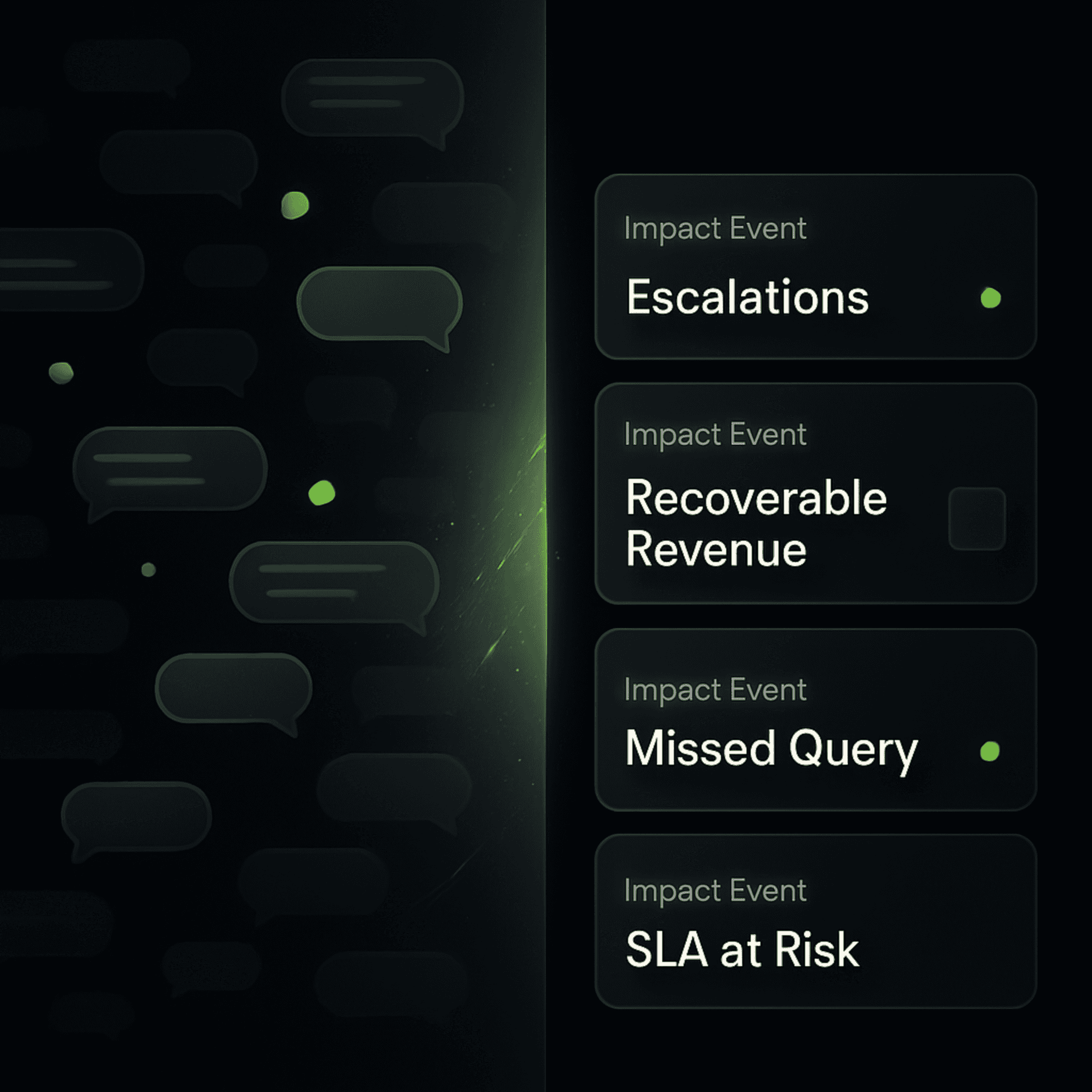
Instead of simply aggregating messages, it identifies the business signals inside conversations — surfacing Impact Events that require attention.
What Counts as an Impact Event?
You define Impact Events — because what matters differs by business.
The key idea: Impact Events are outcomes, not messages.
A message is noise.
An Impact Event is the signal: something that materially affects your business and needs a decision or intervention.
Examples of Impact Events include:
Escalations: A project bottleneck or issue that needs immediate manager attention
Recoverable Revenue: A payment overdue or a deal slipping that can still be saved
Missed Customer Query: A customer question left unanswered — whether it came from a chat or an email thread
SLA at Risk: A deadline or commitment about to be breached unless someone steps in
These are the signals that matter — and Inbox makes sure they never get lost, regardless of where they originated.
How Unified Inbox Prioritizes What You See
Most inboxes sort by recency or channel. Inbox sorts by business importance.
Impact Events are surfaced and ordered based on prioritization logic such as:
Business impact: How costly or meaningful this is (revenue, churn, escalation severity)
Urgency: How soon intervention is needed to prevent failure
Recoverability: Whether action can still change the outcome (save the deal, prevent breach, fix dissatisfaction)
This keeps Inbox focused on decision-making — not browsing conversations.
How Unified Inbox Works
1. Find it in your app
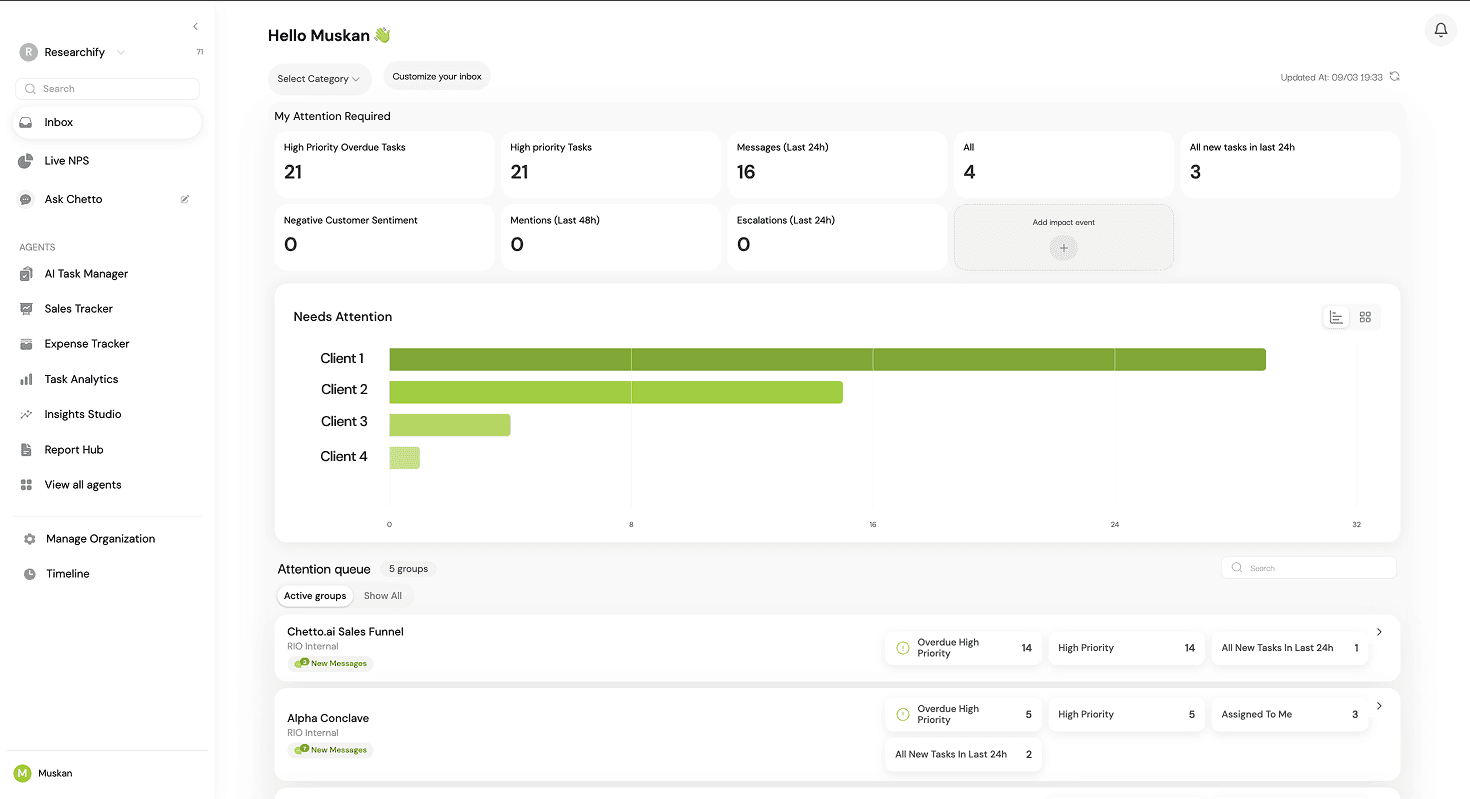
Inbox sits in the left navigation bar of the Chetto app.
2. See what matters
Each conversation — group, channel, or thread — appears as an Impact Event card, summarizing the signals that need attention.
For example:
Negative customer sentiment | (2) Response time | (1) Escalation | (1) Customer dissatisfied
3. Configure your view
Decide what you want to track. Configure the attributes linked to the agents you’ve enabled, so Inbox reflects the signals most relevant to your business — across Slack, WhatsApp, Telegram, and Email equally.
4. Drill deeper
Expand a card to view the underlying context: key messages, summaries, and the “why” behind the signal.
Open the conversation in the sidebar, explore insights, or draft a suggested response — without losing the bigger picture.
Traditional Inbox vs Shared Inbox vs Unified Inbox
Feature | Traditional Inbox | Shared Inbox | Unified Inbox |
|---|---|---|---|
Primary Purpose | Manage personal communication | Allow teams to collaborate on a common inbox | Consolidate conversations across multiple channels |
Typical Channels | Email only | Email (shared mailbox like support@) | Email, WhatsApp, Slack, Telegram, SMS, etc. |
Ownership Model | Individual user | Multiple team members managing the same inbox | Organization-wide visibility across channels |
Collaboration | Limited | Team members can assign or respond to emails | Teams collaborate across conversations from different platforms |
Channel Switching | Required | Still required for non-email channels | Eliminates channel switching |
Context Across Channels | Not available | Not available | Conversations from different channels appear in one place |
Use Case | Personal email management | Customer support teams handling email tickets | Businesses managing communication across multiple platforms |
Decision Visibility | Low | Moderate | High (cross-channel view of communication) |
Examples | Gmail personal inbox | Zendesk shared inbox, Front | Omnichannel inbox platforms |
Why Unified Inbox Matters
Inbox is the control center for your business conversations — but more importantly, it is the core input layer that powers Live NPS.
Modern execution does not fail because messages are missing.
It fails because critical signals are buried across fragmented channels.
Chetto’s Inbox unifies these conversations and surfaces Impact Events — the signals that actually affect customer outcomes.
Each event can be defined and prioritized based on:
impact on the customer relationship
urgency of response
recoverability of the situation
By structuring these signals in one place, Inbox becomes the input parameter for calculating Live NPS — transforming scattered conversations into measurable execution intelligence.
Instead of reacting to a flood of chats and threads, you can finally see — at a glance — where intervention matters most and how it affects customer sentiment in real time.
An Inbox that doesn’t just organize conversations.
An Inbox that powers outcome intelligence.
FAQ
Why do businesses need a unified inbox?
Businesses communicate across Slack, WhatsApp, email, and other platforms. A unified inbox helps track conversations, prevent missed messages, and improve response times.
How is Chetto different from a unified inbox?
Chetto goes beyond message aggregation by identifying Impact Events inside conversations, helping teams detect risks and opportunities early.
Chetto goes beyond message aggregation by identifying Impact Events inside conversations... To see how traditional ticketing and shared inboxes compare to an intelligence layer, explore our full review of the best tools to centralize customer requests.
Unified Inbox: Turning Fragmented Conversations Into Actionable Business Signals
Work conversations keep businesses running — but they also create relentless noise.
Not because any one tool is “too busy,” but because execution gets fragmented across Slack channels, WhatsApp groups, Telegram chats, and email threads.
Yesterday’s escalation lives in a Slack channel. Today’s task update is in WhatsApp. Tomorrow’s missed query is buried in email.
You respond in the moment — but a day later, the context is scattered, the thread is buried, and the bigger picture is lost.
That’s why we built Unified Inbox.
What Is a Unified Inbox?
A unified inbox brings messages from multiple communication channels into one place — so teams don’t have to constantly switch between tools like WhatsApp, Slack, Telegram, and email.
Instead of checking each platform separately, conversations from all these channels appear in a single interface. This makes it easier for teams to:
monitor communication
respond faster
avoid missing important messages
For many businesses, communication has become fragmented across tools.
Customer questions may arrive on WhatsApp, internal discussions happen in Slack, project updates appear in Telegram groups, and formal communication lives in email. Without a unified view, it becomes difficult to track what is happening across the organization.
A unified inbox solves this by consolidating these conversations into one place, allowing teams to manage communication more efficiently.
Chetto builds on this idea.
Instead of simply aggregating messages, it identifies the business signals inside conversations — surfacing Impact Events that require attention.
What Counts as an Impact Event?
You define Impact Events — because what matters differs by business.
The key idea: Impact Events are outcomes, not messages.
A message is noise.
An Impact Event is the signal: something that materially affects your business and needs a decision or intervention.
Examples of Impact Events include:
Escalations: A project bottleneck or issue that needs immediate manager attention
Recoverable Revenue: A payment overdue or a deal slipping that can still be saved
Missed Customer Query: A customer question left unanswered — whether it came from a chat or an email thread
SLA at Risk: A deadline or commitment about to be breached unless someone steps in
These are the signals that matter — and Inbox makes sure they never get lost, regardless of where they originated.
How Unified Inbox Prioritizes What You See
Most inboxes sort by recency or channel. Inbox sorts by business importance.
Impact Events are surfaced and ordered based on prioritization logic such as:
Business impact: How costly or meaningful this is (revenue, churn, escalation severity)
Urgency: How soon intervention is needed to prevent failure
Recoverability: Whether action can still change the outcome (save the deal, prevent breach, fix dissatisfaction)
This keeps Inbox focused on decision-making — not browsing conversations.
How Unified Inbox Works
1. Find it in your app
Inbox sits in the left navigation bar of the Chetto app.
2. See what matters
Each conversation — group, channel, or thread — appears as an Impact Event card, summarizing the signals that need attention.
For example:
Negative customer sentiment | (2) Response time | (1) Escalation | (1) Customer dissatisfied
3. Configure your view
Decide what you want to track. Configure the attributes linked to the agents you’ve enabled, so Inbox reflects the signals most relevant to your business — across Slack, WhatsApp, Telegram, and Email equally.
4. Drill deeper
Expand a card to view the underlying context: key messages, summaries, and the “why” behind the signal.
Open the conversation in the sidebar, explore insights, or draft a suggested response — without losing the bigger picture.
Traditional Inbox vs Shared Inbox vs Unified Inbox
Feature | Traditional Inbox | Shared Inbox | Unified Inbox |
|---|---|---|---|
Primary Purpose | Manage personal communication | Allow teams to collaborate on a common inbox | Consolidate conversations across multiple channels |
Typical Channels | Email only | Email (shared mailbox like support@) | Email, WhatsApp, Slack, Telegram, SMS, etc. |
Ownership Model | Individual user | Multiple team members managing the same inbox | Organization-wide visibility across channels |
Collaboration | Limited | Team members can assign or respond to emails | Teams collaborate across conversations from different platforms |
Channel Switching | Required | Still required for non-email channels | Eliminates channel switching |
Context Across Channels | Not available | Not available | Conversations from different channels appear in one place |
Use Case | Personal email management | Customer support teams handling email tickets | Businesses managing communication across multiple platforms |
Decision Visibility | Low | Moderate | High (cross-channel view of communication) |
Examples | Gmail personal inbox | Zendesk shared inbox, Front | Omnichannel inbox platforms |
Why Unified Inbox Matters
Inbox is the control center for your business conversations — but more importantly, it is the core input layer that powers Live NPS.
Modern execution does not fail because messages are missing.
It fails because critical signals are buried across fragmented channels.
Chetto’s Inbox unifies these conversations and surfaces Impact Events — the signals that actually affect customer outcomes.
Each event can be defined and prioritized based on:
impact on the customer relationship
urgency of response
recoverability of the situation
By structuring these signals in one place, Inbox becomes the input parameter for calculating Live NPS — transforming scattered conversations into measurable execution intelligence.
Instead of reacting to a flood of chats and threads, you can finally see — at a glance — where intervention matters most and how it affects customer sentiment in real time.
An Inbox that doesn’t just organize conversations.
An Inbox that powers outcome intelligence.
FAQ
Why do businesses need a unified inbox?
Businesses communicate across Slack, WhatsApp, email, and other platforms. A unified inbox helps track conversations, prevent missed messages, and improve response times.
How is Chetto different from a unified inbox?
Chetto goes beyond message aggregation by identifying Impact Events inside conversations, helping teams detect risks and opportunities early.
Chetto goes beyond message aggregation by identifying Impact Events inside conversations... To see how traditional ticketing and shared inboxes compare to an intelligence layer, explore our full review of the best tools to centralize customer requests.

Blog written by
Ritesh Mathur
Co-founder