Smart Pickers in Chetto: @ for People, # for Group/org — Type Less, Choose Faster
Smart Pickers in Chetto: @ for People, # for Group/org — Type Less, Choose Faster
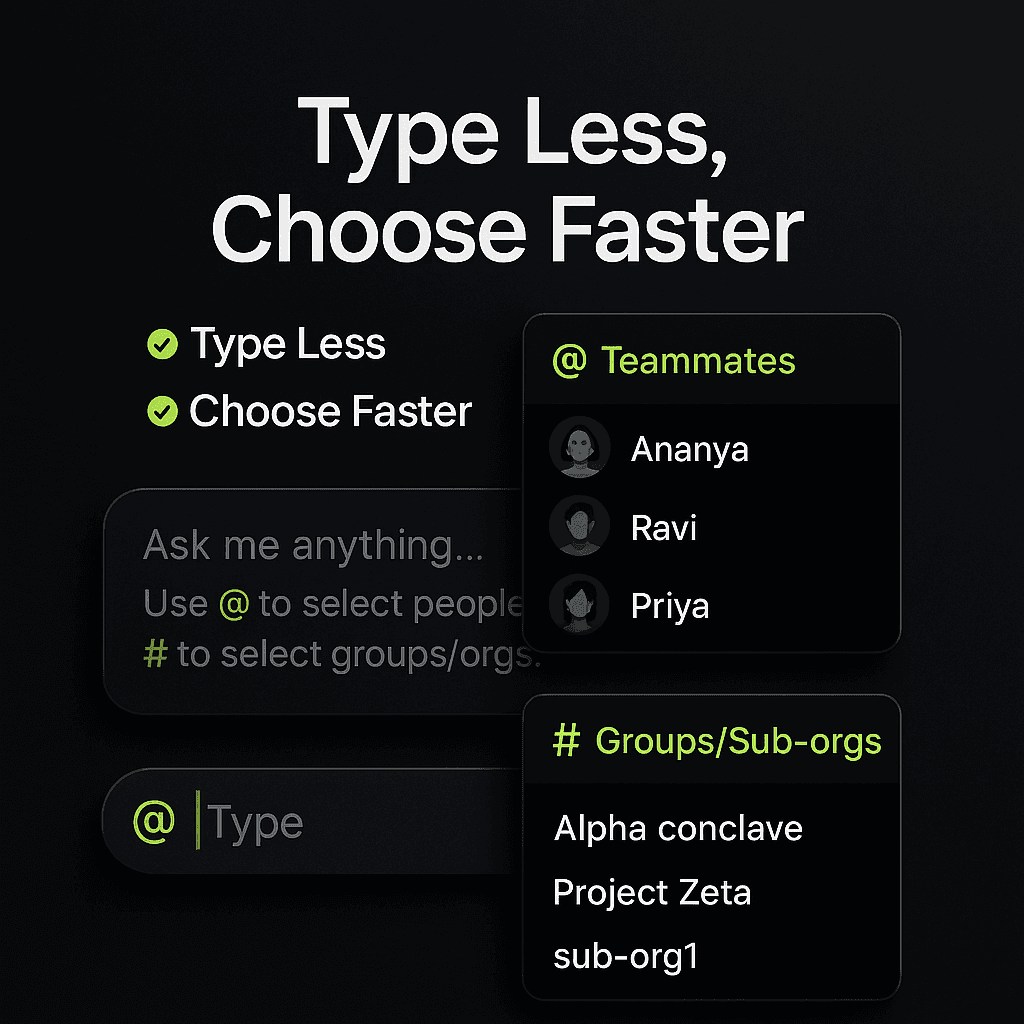
Hint in the chat box: “Ask me anything… Use @ to select people, # to select groups/orgs.”
Chetto now makes writing names and group names as easy as WhatsApp.
What you get
@for people (no notifications): Type@and you’ll see your teammates. Start typing a few letters, then choose the right name.#for groups & sub-orgs: Type#to see your groups/sub-orgs. Start typing to narrow the list, then pick one. Need more? Just type#again and add the next one.
Why it helps
Quicker messages: No more typing long names or worrying about spelling.
Clearer conversations: The right person and the right group—every time.
How it works (super simple)
Type @ → pick the person. You can also hover on the name and press Enter to insert it.
Type # → pick the group or sub-org.
Need another group? Type # again and pick the next one.
Try these
Please give me all tasks of @Akshay in #Alpha conclave
Did any of my clients seem frustrated over the last week in #sub-org1?
Small tips
Start typing after @ or # to jump to the right option.
Press Enter to confirm your choice.
That’s it—less typing, fewer mistakes, smoother chats.

Blog written by
Akshay Kumar
Engineer
Akshay Kumar is an Engineer with a strong interest in backend systems. He enjoys building end-to-end features from concept to delivery, creating scalable solutions, and improving user experiences to drive meaningful product impact.
Blog written by
Akshay Kumar
Engineer
Akshay Kumar is an Engineer with a strong interest in backend systems. He enjoys building end-to-end features from concept to delivery, creating scalable solutions, and improving user experiences to drive meaningful product impact.
Hint in the chat box: “Ask me anything… Use @ to select people, # to select groups/orgs.”
Chetto now makes writing names and group names as easy as WhatsApp.
What you get
@for people (no notifications): Type@and you’ll see your teammates. Start typing a few letters, then choose the right name.#for groups & sub-orgs: Type#to see your groups/sub-orgs. Start typing to narrow the list, then pick one. Need more? Just type#again and add the next one.
Why it helps
Quicker messages: No more typing long names or worrying about spelling.
Clearer conversations: The right person and the right group—every time.
How it works (super simple)
Type @ → pick the person. You can also hover on the name and press Enter to insert it.
Type # → pick the group or sub-org.
Need another group? Type # again and pick the next one.
Try these
Please give me all tasks of @Akshay in #Alpha conclave
Did any of my clients seem frustrated over the last week in #sub-org1?
Small tips
Start typing after @ or # to jump to the right option.
Press Enter to confirm your choice.
That’s it—less typing, fewer mistakes, smoother chats.
Blog written by
Akshay Kumar
Engineer
Akshay Kumar is an Engineer with a strong interest in backend systems. He enjoys building end-to-end features from concept to delivery, creating scalable solutions, and improving user experiences to drive meaningful product impact.